Best Ergonomic Keyboards for Productivity in 2026
Compare ergonomic keyboards for productivity, including curved, split, compact, and low-profile options for home office comfort.
Affiliate disclosure: Smart Workspace Guide may earn a commission from qualifying purchases made through Amazon links. This does not change your price.
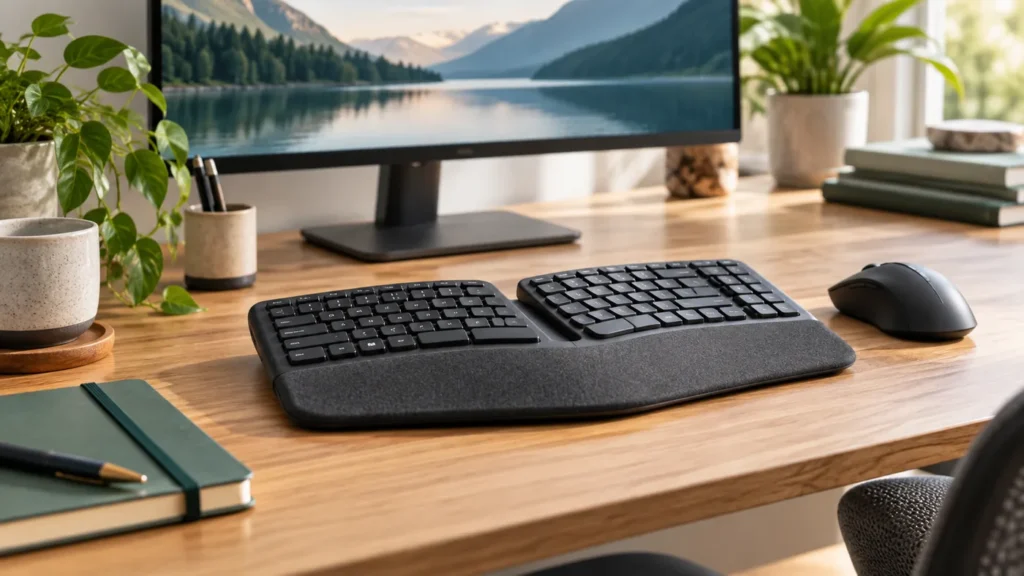
An ergonomic keyboard can help reduce reach, wrist angle, and shoulder tension, but the best keyboard depends on how you type. Some people need a split layout, some need a compact board that keeps the mouse closer, and some only need a low-profile keyboard with better key feel.
For most home offices, start with comfort and fit: keep the keyboard close, keep wrists neutral, and avoid buying an extreme split layout unless you are ready for a learning curve.
Quick picks
| Pick | Best for | What to check first | Amazon |
|---|---|---|---|
| Logitech Ergo K860-style curved keyboard | Most remote workers who want a familiar ergonomic shape | Make sure the wide layout still leaves room for your mouse. | Check options |
| Kinesis Freestyle-style split keyboard | Users who want separate left and right halves | Expect a short adjustment period if you have never used a split board. | Check options |
| Compact ergonomic keyboard | Small desks and mouse-heavy workflows | Look for a layout that keeps arrow keys and shortcuts you use daily. | Check options |
| Low-profile wireless keyboard | Wrist comfort without a dramatic layout change | Pair it with a separate mouse and avoid typing with wrists bent upward. | Check options |
How to choose an ergonomic keyboard
The right keyboard should make your everyday posture easier, not force you into a setup that looks ergonomic but feels awkward. Before buying, check four things:
- Keyboard width: a very wide keyboard can push the mouse too far away and create shoulder strain.
- Wrist angle: split or curved layouts can help keep wrists straighter, but only if the keyboard is placed close enough.
- Learning curve: fully split layouts take more adjustment than curved one-piece keyboards.
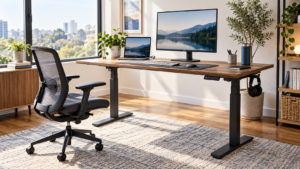
- Desk height: even a great keyboard feels bad if the desk is too high and your shoulders stay shrugged.
Use the Desk Height Calculator before blaming the keyboard. If your elbows are too low or too high, the keyboard upgrade may not solve the real problem.
Ergonomic keyboard types
Curved one-piece keyboards
These are the easiest transition for most home-office users. They usually keep a familiar layout while slightly changing hand position. They are a good first move if you type long documents, emails, or reports but do not want to relearn your keyboard.
Split keyboards
Split keyboards let each hand sit closer to shoulder width. This can feel more natural for long typing sessions, especially if you have broad shoulders or feel cramped on a standard keyboard. The tradeoff is setup time and a learning curve.
Compact keyboards
A compact keyboard can be ergonomic because it brings the mouse closer to the body. If your shoulder hurts more than your wrists, compact may help more than a large curved keyboard.
Low-profile keyboards
Low-profile keyboards can reduce wrist extension, especially when paired with the right desk and chair height. They are a practical choice for users who want comfort without a dramatic layout.
Common buying mistakes
- Buying a keyboard that is so wide the mouse sits outside your natural reach.
- Using a wrist rest as a place to press down while typing.
- Keeping the keyboard on a desk that is too high.
- Choosing a split keyboard for aesthetics instead of actual fit.
- Ignoring return policy when trying a layout you have never used before.
Setup checklist
- Place the keyboard close enough that elbows stay near your ribs.
- Keep wrists straight, not bent up toward the ceiling.
- Move the mouse close to the keyboard edge.
- Lower the chair or desk if shoulders feel shrugged.
- Test the setup for two workdays before deciding whether the keyboard is the problem.
FAQ
Are ergonomic keyboards worth it?
They can be worth it if you type for hours and your current keyboard forces awkward wrist or shoulder positions. They are not a cure-all; desk height, chair height, mouse placement, and breaks still matter.
Is a split keyboard better than a regular keyboard?
A split keyboard can be better for some users, especially if a standard keyboard pulls the hands inward. But a compact or curved keyboard may be easier for many remote workers.
What should I buy first: ergonomic keyboard or mouse?
If your wrist hurts while typing, start with the keyboard. If your shoulder hurts or your mouse sits far away, start by moving the mouse closer and consider a compact keyboard.
Final recommendation
For most remote workers, the safest first upgrade is a comfortable curved or compact keyboard with a good return policy. Go fully split only if you are willing to spend a few days adapting and you know your current hand position is the issue.
For a bigger workspace check, download the Perfect Home Office Checklist or run the Workspace Score Quiz.
About The Author