7 Office Chair Measurements to Check Before You Buy
Measure seat height, depth, width, armrests and desk clearance before buying an office chair. Use this practical seven-point fit checklist.
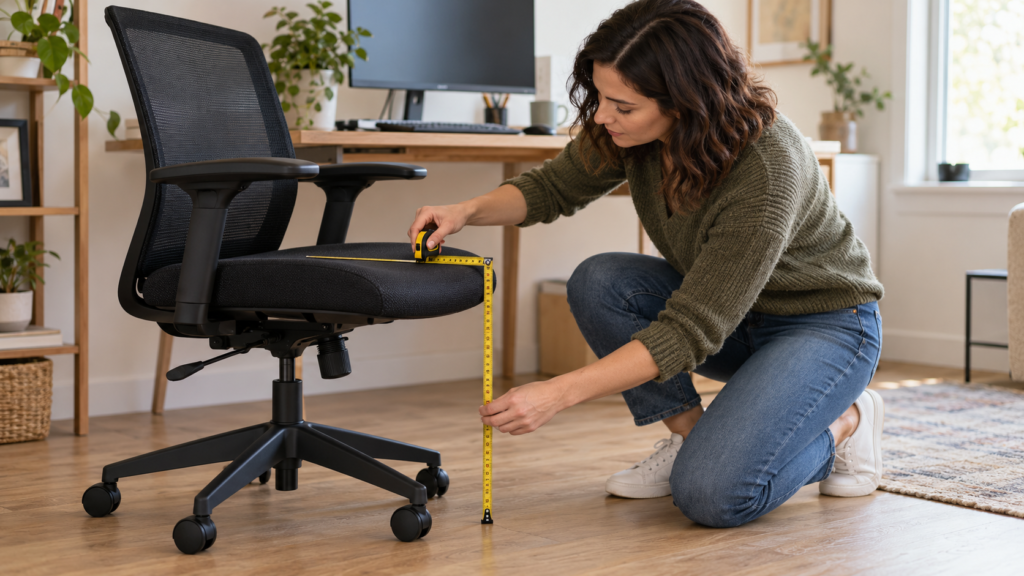
An office chair can have hundreds of positive reviews and still be the wrong size for your body or desk. Before you compare mesh, cushions or headrests, record seven measurements and fit checks: seat height, seat depth, seat width, armrest height and spacing, backrest support, recline, and desk clearance. This takes about ten minutes and gives you a better buying filter than the word “ergonomic” on a product page.
This guide is a companion to our best ergonomic chairs under $300. It does not replace a clinical assessment, and it does not claim that one posture prevents pain. The goal is simpler: eliminate chairs that cannot be adjusted to your working position before you order a large item that may be expensive to return.
Start With Your Working Position
Sit at the desk where you actually work. Put the keyboard and mouse in their normal positions, wear the shoes you usually wear indoors, and relax your shoulders. Your elbows should stay close to your body, your forearms should be roughly parallel to the floor, and your feet should be supported by the floor or a footrest. OSHA describes a neutral computer-workstation posture with elbows close to the body and bent between 90 and 120 degrees, with the feet fully supported.
Do not force every joint into an exact 90-degree pose. Bodies and tasks differ, and a chair should allow position changes during the day. Use the measurements below as a screening method, then test the complete chair-and-desk combination.
Write down these numbers before shopping:
- floor to the back of your knee while seated;
- back of your pelvis to the crease behind your knee;
- widest point across your hips or thighs while seated;
- top of the seat to the underside of your relaxed forearm;
- space between your relaxed elbows;
- underside height, width and depth of your desk opening;
- your body weight plus any limits stated by the manufacturer for the exact chair.
1. Check the Seat-Height Range
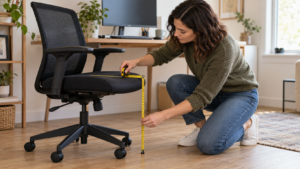
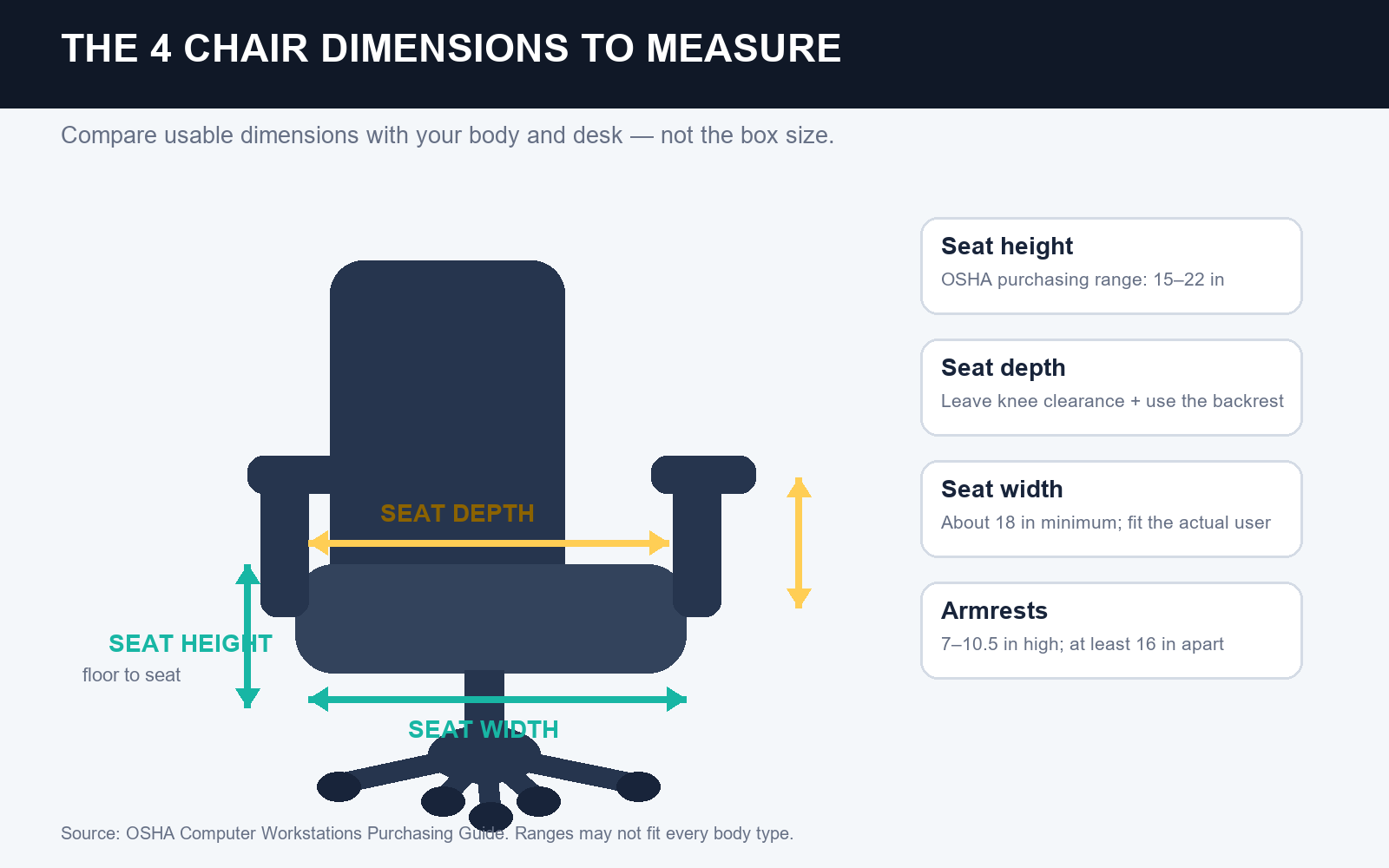
Your first number is the distance from the floor to the back of your knee while you sit with your feet supported. A suitable chair should let you place both feet flat while the front of the seat does not press into the back of your legs. If the chair must be raised to match a fixed desk, use a stable footrest rather than leaving your feet unsupported.
OSHA's purchasing checklist gives a broad chair seat-height adjustment range of 15 to 22 inches. Treat that as a purchasing range, not a promise that every setting within it fits every person. Compare your measurement with the manufacturer's minimum and maximum seat height. If the listing provides only the chair's overall height, it has not given you the number you need.
Practical test: set the seat high enough that your shoulders stay relaxed at the keyboard. If your feet no longer rest securely, add a footrest to the plan or choose a desk and chair combination with a better range.
2. Match Seat Depth to Your Thighs
Measure from the back of your pelvis to the crease behind your knee while seated, then compare that body measurement with the chair's usable seat depth. The chair should support most of your thighs without touching the back of your knees, and you should be able to use the backrest without sliding forward.
The UK Health and Safety Executive illustrates a 2-to-3-centimeter gap between the seat edge and the back of the knee. NIH guidance uses a more conservative fist-size gap. Those are screening cues, not competing promises. The useful buying rule is that the seat must leave visible clearance without sacrificing back support. An adjustable sliding seat pan is especially valuable when several people share the chair.
OSHA lists a seat-pan length of 15 to 17 inches in its purchasing checklist and separately recommends adjustable seat depth. Check the exact product diagram: some listings measure the full cushion, while others report usable depth from the backrest.
3. Confirm Seat Width Without Guessing
Measure the widest part of your hips or thighs while seated. The usable seat should be wider than that measurement without forcing you against raised side bolsters, armrest supports or a hard frame. OSHA recommends a seat-pan width of about 18 inches minimum while noting that the chair still needs to accommodate the individual user.
Do not assume a wide chair automatically fits better. An oversized seat can place the armrests too far apart, and a narrow seat can restrict movement. Compare the seat width and the space between the armrests as two separate specifications.
Also look at the front edge. OSHA and NIH both recommend a rounded or waterfall-style edge so the seat does not create a hard contact point under the thighs. Product photos should show the edge shape clearly; if they do not, look for an assembly guide or dimension drawing from the manufacturer.
4. Measure Armrest Height and Spacing
Let your shoulders relax and bend your elbows while seated. Measure from the compressed seat surface to the underside of your forearm. Then measure the comfortable distance between your elbows. The armrests should support the forearms without lifting your shoulders, pushing your elbows outward or blocking the chair from moving close to the desk.
OSHA's purchasing checklist specifies armrest adjustment from 7 to 10.5 inches above the seat pan and at least 16 inches between the armrests. These ranges are useful for screening, but your own desk decides whether the chair works. Measure the height from the floor to the top of the armrests at your preferred seat setting and compare it with the desk opening.
If fixed armrests collide with the desktop, the chair may force you to sit too far from the keyboard. Prefer height-adjustable, width-adjustable, removable or flip-up arms when desk clearance is tight. NIH also recommends armrests that adjust in both height and width.
5. Check Backrest and Lumbar Adjustment
Back support is not a single dimension you can read from a marketing label. Sit fully back and check whether the backrest supports the natural inward curve of your lower back without pushing you forward. The support should reach you at your normal seat depth; a pronounced lumbar pad that cannot move may fit one person and miss another entirely.
Prioritize usable adjustment over a large headrest or a dramatic backrest shape. Look for the backrest's height range, lumbar height and depth controls, and whether the backrest can move relative to the seat. NIH identifies adequate lumbar support and backrest angle, in-out and height adjustment as important chair features.
A headrest is optional for ordinary upright computer work. OSHA recommends one when a backrest reclines more than about 30 degrees from vertical. If a product includes a headrest, verify that its height range reaches the base of your head without pushing it forward.
6. Verify Recline and Movement
A chair should support more than one frozen pose. OSHA recommends at least 15 degrees of backrest recline with a lock for firm support, and a seat-pan tilt range of about 5 degrees forward and backward in its purchasing checklist. You do not need to use every setting, but the controls should be reachable and stable while seated.
Check whether the listing distinguishes backrest recline from whole-chair tilt. Read the manual before purchase if the product page is vague. A tension knob is not the same thing as a lock, and a chair that rocks freely is not necessarily adjustable through a useful range.
The base matters too. Choose a stable five-point base with casters suited to your floor. Confirm that the chair swivels and rolls without forcing you to twist or reach. If you use a mat, include its thickness and surface in the test.
7. Measure the Desk Opening
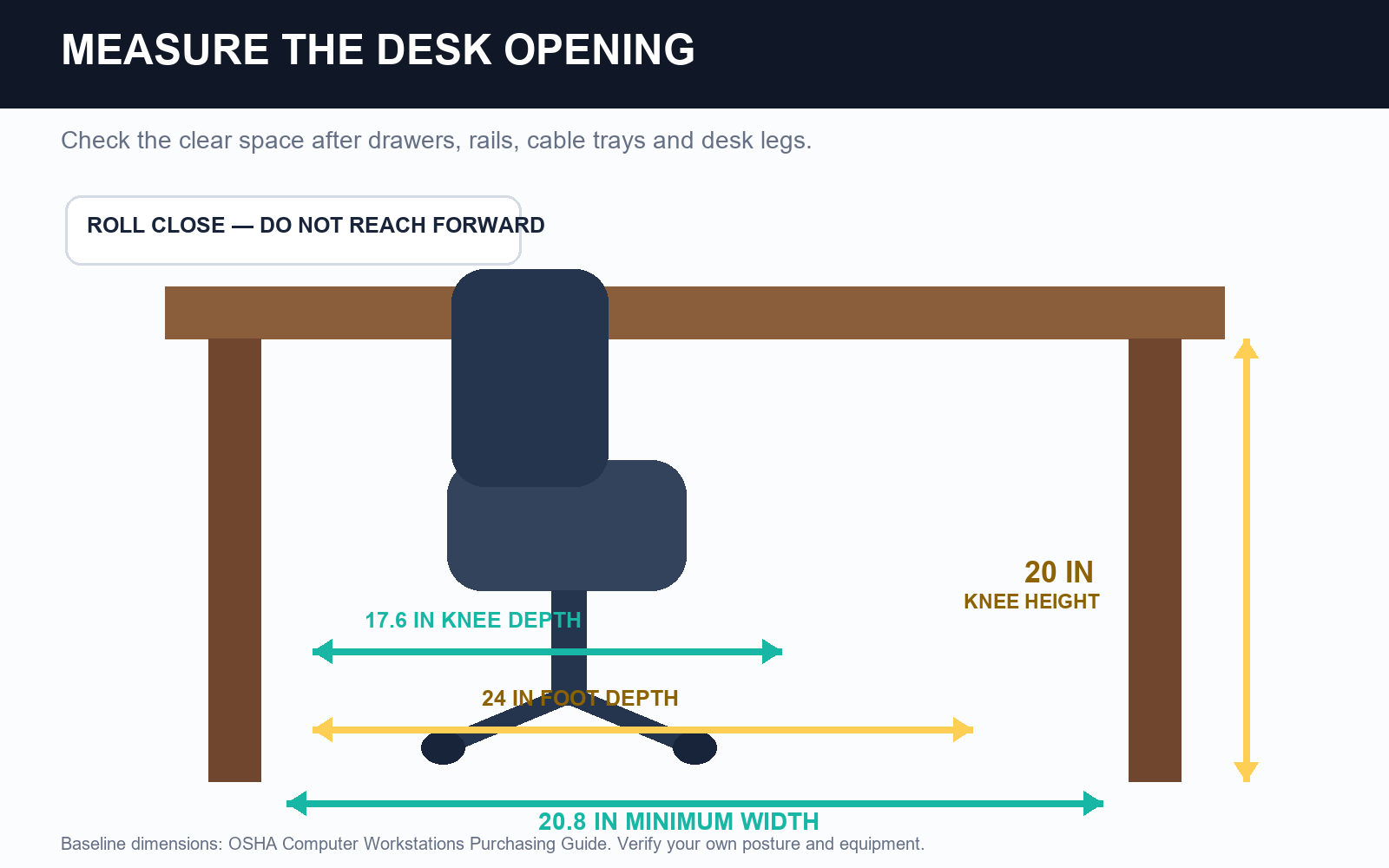
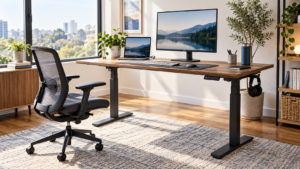
The chair has to fit the workstation, not just your body. Measure the clear width under the desk, the height to the lowest obstruction and the depth available for your knees and feet. Include drawers, support rails, cable trays and desk legs.
OSHA's purchasing checklist gives minimum under-desk clearance figures of 20.8 inches wide, 20 inches high at the knees, 17.6 inches deep for the knees and 24 inches deep for the feet. Use these as a baseline, then check your real posture and equipment. A desk can meet a published minimum and still feel cramped if a drawer or computer tower occupies the space you need.
Roll the chair close enough that your elbows remain near your sides while using the keyboard and mouse. If the armrests or chair frame stop you, the setup is mismatched even when the chair feels comfortable away from the desk.
Add Stability, Capacity and Return Terms
Dimensions are only part of the decision. Check the exact model's stated weight capacity and warranty. OSHA notes that many chairs are designed for users under 275 pounds and that users above that figure need a chair designed for the additional weight. Do not treat a marketing category such as “big and tall” as a specification; verify the manufacturer's rating for the configuration you are buying.
Read the return policy before assembly. Find out whether the chair must be disassembled, whether return shipping is deducted and how long you have to test it. Keep the box until you have used the chair at your real desk for several work sessions.
A 10-Minute Chair-Fit Test
Run this sequence before you decide to keep a chair:
- Set the seat height so the keyboard is reachable with relaxed shoulders.
- Support both feet with the floor or a stable footrest.
- Sit fully against the backrest and check for clearance behind the knees.
- Adjust the armrests so they support without lifting the shoulders or hitting the desk.
- Test the recline, lock and tension controls while seated.
- Roll close to the keyboard and mouse without reaching forward.
- Change position, stand up, sit down and repeat the setup after a real work session.
If one fixed dimension prevents those steps, accessories are unlikely to turn the chair into a good fit. A footrest can solve unsupported feet when desk height forces the chair higher. A small lumbar cushion can improve contact with a suitable backrest. Neither one fixes a seat that is too deep, a base that is unstable or armrests that keep you away from the desk.
FAQ
What is the most important office-chair measurement?
Start with seat height and seat depth. Height affects foot support and keyboard position; depth determines whether you can use the backrest without pressure behind the knees. A chair that fails either test is difficult to correct with small accessories.
Is an 18-inch-wide seat right for everyone?
No. OSHA uses about 18 inches as a minimum purchasing recommendation, but the correct width depends on the user and the chair frame. Measure the seated width of your hips or thighs and check both the usable seat and the armrest spacing.
Should my knees be exactly 90 degrees?
Not necessarily. NIOSH describes the hips and knees at, or slightly greater than, 90 degrees, while OSHA emphasizes supported feet, relaxed shoulders and neutral joint positions. Comfort and the ability to change posture matter more than forcing one exact angle all day.
Can a footrest fix a chair that is too high?
A stable footrest can support the feet when the chair must be raised to match a fixed desk. It does not fix a seat that presses behind the knees, armrests that collide with the desk or a backrest that does not reach you.
Sources and Editorial Disclosure
This article is an editorial measurement guide based on published workstation guidance; it is not a hands-on test of a specific chair and is not medical advice. Sources reviewed: OSHA Computer Workstations Purchasing Guide, OSHA Chair Components, OSHA Good Working Positions, NIOSH Working From Home Guidance, NIH Ergonomic Chairs and HSE Good Posture Guidance.
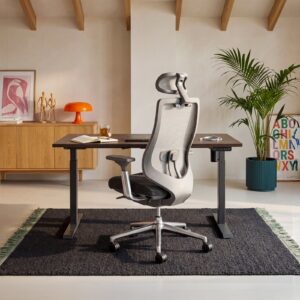
The hero image is an AI-generated editorial illustration and does not depict a product test. The measurement diagrams are original CreatorOS graphics based on the cited guidance. This article contains no direct affiliate product links; the linked under-$300 buying guide contains its own affiliate disclosure.
CTA
Save your seven measurements, then compare them with the dimension diagrams and return terms in our ergonomic chairs under $300 guide. Eliminate any chair whose specifications cannot support your body and desk before comparing price, upholstery or reviews.
About The Author