Standing Desk Measurements for Dual Monitors: Width, Depth, Height and Cable Slack
Measure tabletop width, depth, seated and standing height, load and cable slack before buying a standing desk for two monitors.
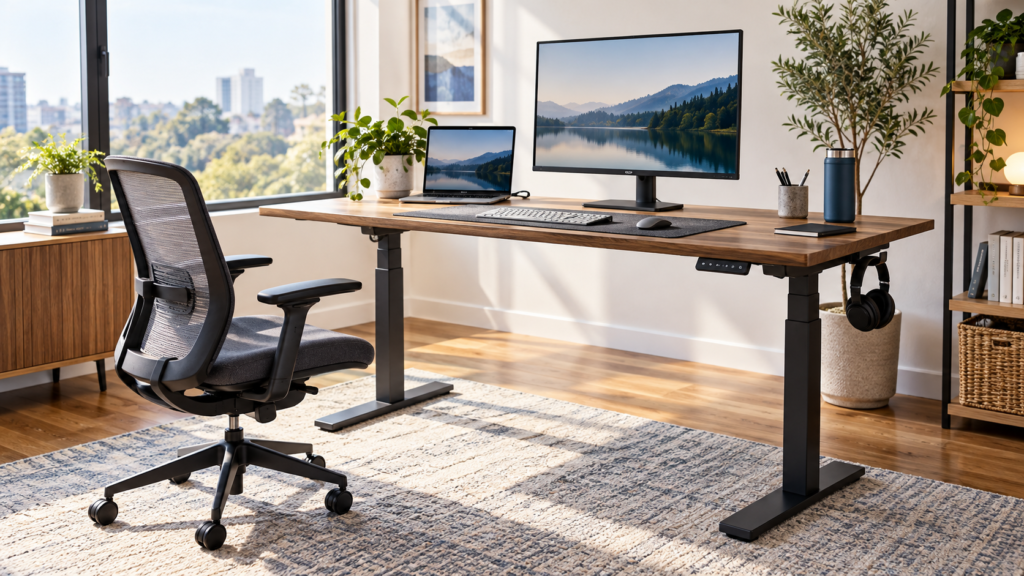
A standing desk can look generous in a product photo and still feel crowded once two monitors, a laptop dock and a full-size keyboard are in place. Before you compare motors or finishes, measure the setup you actually need. This guide turns the decision into four checks: tabletop width, usable depth, height range and cable travel. It complements our standing desk buying guide and our standing versus traditional desk comparison.
Make a Paper Layout First
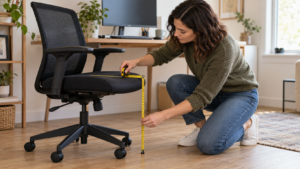
Write down the dimensions of each monitor, including its stand or mounting arm. Add your keyboard, mouse area, laptop, dock, speakers, microphone and anything that must remain on the desk. Then mark the available wall width and the clearance between the desk and nearby doors, shelves or drawers. A tabletop's advertised dimensions are the outside dimensions; usable space can shrink when a monitor stand, cable grommet or clamp occupies the back edge.
Try laying out the equipment on your current surface with masking tape. If you do not yet own the monitors, use cardboard rectangles at the exact published dimensions of the models you plan to use. This low-cost mockup is more informative than assuming every 55-inch or 60-inch desk fits the same configuration. The shape and placement of the monitor bases or arms matter as much as screen size.
Width: Allow for the Working Zone, Not Just Screen Edges
Two displays do not have to fit in a perfectly straight line. Many people place the main screen directly ahead and angle the secondary display toward it. The OSHA workstation evaluation checklist recommends keeping the primary monitor in front of the user and an additional monitor beside it; if both are used equally, arrange them close together within a comfortable viewing angle. This placement affects how much width you need and where your keyboard should sit.
Measure the full width of both displays, not only their diagonal sizes. Add a gap for bezels, the footprint of any monitor stands and space for speakers or a laptop if those items share the same row. If you use arms, measure how far each arm and display can swing beyond the tabletop. A narrow desk may be workable with arms, but only when the mounting point, wall and room clearance allow the screens to reach useful positions.
Leave a zone in front for the keyboard and mouse. A desk that exactly fits the monitors from edge to edge can still force the mouse into an awkward reach. If you regularly write on paper or use a drawing tablet, include that activity in the width calculation rather than assuming you can move the keyboard every time.
Depth: Protect Viewing Distance and Arm Clearance
Depth is easy to overlook. Large displays on deep factory stands can push the screen close to your face, while a monitor arm may need space behind the desk to fold or rotate. OSHA's monitor guidance says people should be able to read the screen comfortably without leaning forward or backward and gives a general viewing distance range of 20 to 40 inches. The precise comfortable distance depends on screen size, text scale and vision, so test it with your own equipment.
Measure from where your eyes will be when seated to the front of the display, not from the front edge of the desk. On the desk itself, account for the depth occupied by the monitor base, keyboard and wrist/forearm area. If a monitor arm is planned, check the arm's rear extension in its most folded and extended positions. A desk against a wall may need a gap, while an arm clamped to the side can shift the screen away from the center. Do not assume a single depth number will suit both your seated and standing positions.
Height Range: Check the Lowest and Highest Useful Positions
The minimum desk height matters as much as its maximum. Sit in a chair with your feet supported and your shoulders relaxed. Note the height at which your hands can use the keyboard without reaching upward. Then stand comfortably and note the height where your forearms can work without raised shoulders. Compare both measurements with the manufacturer's published adjustment range, including tabletop thickness if the specification is for the frame alone.
If the desk's minimum height is too high, raising the chair may require a footrest, and the result may still feel awkward. If the maximum height is too low, standing work may encourage hunching. The OSHA purchasing guide recommends a height-adjustable work surface that moves easily and accommodates changes in posture. Your two measured working heights are more decisive than a product label such as “suitable for everyone.”
Also check the desk's travel with all equipment mounted. A monitor at a good height while seated may become too high while standing if the arm has little vertical adjustment. Set the chair, keyboard and displays together, not as isolated purchases.
Load and Stability With Two Monitors
Add up the weight of the screens, monitor arms, laptop, desktop accessories and any equipment that remains on the tabletop. Compare the total with the desk manufacturer's load rating. Then consider *where* that weight sits: two heavy displays on rear-mounted arms can behave differently from the same weight spread across the desktop. Look for the maker's guidance on monitor-arm mounting, edge reinforcement and tabletop materials.
Test or research stability at the height you will actually use. A desk that feels solid near its minimum height may move more at its highest setting, especially if you type firmly or use a large screen. Independent user reports can alert you to a problem, but verify the exact frame and tabletop configuration because a different top, floor or assembly can change the experience. Do not claim that a rating or short showroom test guarantees stability in your room.
Cable Slack: Test the Full Travel Path
Measure the distance from the power outlet and dock to each device when the desk is at its highest position. Leave slack for the monitor arms to move and for the desk to travel without tugging on connectors. A cable that looks tidy while seated can become taut at full height. Route cables so they cannot enter the lifting columns or catch on drawers and shelves. Place the power strip and dock where cables can reach in both positions, and secure the route only after testing the complete travel slowly.
If a desktop computer stays on the floor, check the cable path especially carefully. A laptop or dock mounted beneath the moving desktop may simplify the run to the monitors but still needs a safe path to the outlet. Our dual-monitor docking checklist can help verify ports, charging and display compatibility before you finalize cable lengths.
A Measurement Worksheet You Can Use Today
- Available room width and depth, including wall and chair clearance.
- Published tabletop width and depth; usable space after stands, clamps and grommets.
- Width and depth of each monitor, stand or arm, plus keyboard and mouse zone.
- Comfortable seated and standing keyboard heights measured from the floor.
- Screen-to-eye distance and rear arm clearance at both desk heights.
- Total equipment load, desk rating and any tabletop reinforcement requirement.
- Cable path and slack at minimum, maximum and typical working heights.
Take these measurements to the exact product listing. Confirm current dimensions, load capacity, warranty, return terms and assembly instructions before buying. If you are still choosing between a fixed desk and a sit-stand model, read the comparison for hybrid work first.
FAQ
Is a 48-inch desk enough for two monitors?
It depends on the actual monitor widths, stand or arm footprints, and your keyboard and mouse space. Draw the layout to scale. A diagonal screen size alone does not answer the question.
Do monitor arms eliminate the need for desk depth?
No. Arms can free surface space, but they still need mounting support, rear and side clearance, and a comfortable screen-to-eye distance. Check the arm's movement path against the wall.
Should I buy the tallest standing desk available?
Choose a height range that includes both your measured seated and standing working positions. Extra maximum height has little value if the desk cannot lower enough for comfortable seated use.
Sources and Editorial Disclosure
The setup guidance here draws on the OSHA workstation evaluation checklist, monitor placement guidance and purchasing guide. This is a measurement method, not a hands-on test or ranking of specific desks. It contains no direct affiliate product links; linked buying guides may contain affiliate links and disclose that on their pages.
CTA
Measure your two monitor positions and both keyboard heights before comparing standing desks. Keep the worksheet beside the product page, and reject any model whose published range, surface or mounting guidance does not fit your setup.
About The Author