Best Desk Lamps for Video Calls and Focused Work in 2026
A professional guide to desk lamps and video call lighting for home offices, including LED key lights, monitor light bars, and practical setup tips.
Affiliate disclosure: Smart Workspace Guide may earn a commission from qualifying purchases made through Amazon links. This does not change your price.
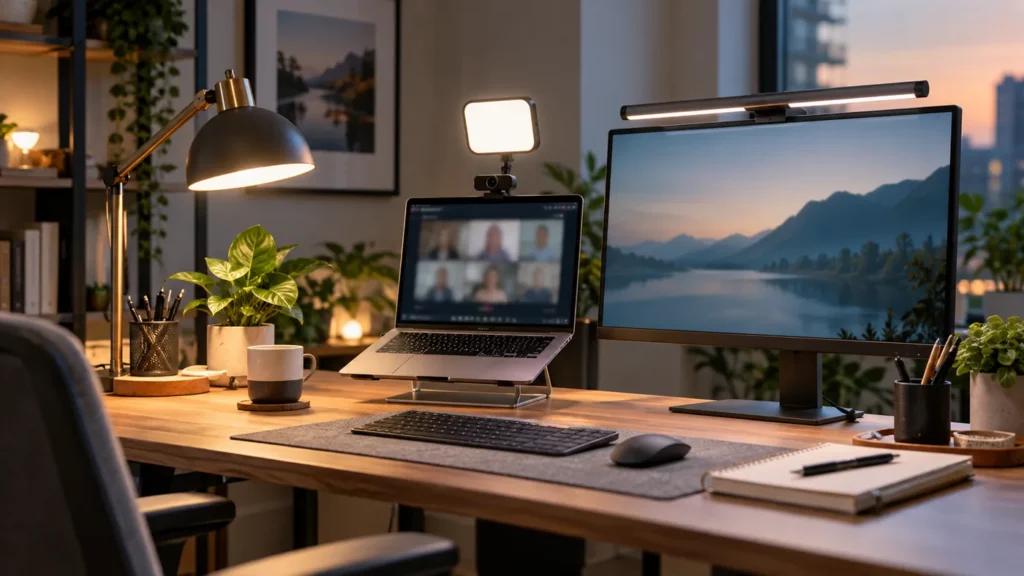
Lighting affects how professional you look on video calls and how comfortable your eyes feel during long work sessions. The best setup usually combines soft front lighting with a separate task light or monitor light bar.
If you take calls often, start with a compact key light near the camera. If eye comfort is the priority, add a monitor light bar or adjustable desk lamp.
Quick picks
- Best premium option: Logitech Litra Glow
- Best practical option: BenQ ScreenBar Halo
- Best flexible option: Elgato Key Light Air
Comparison table
| Product | Best for | Check first | Amazon |
|---|---|---|---|
| Logitech Litra Glow | Compact video call lighting | Best when placed near eye level and balanced with room light. | Amazon |
| BenQ ScreenBar Halo | Premium monitor light bar setup | Monitor shape and thickness matter for fit. | Amazon |
| Elgato Key Light Air | More controlled lighting for frequent calls | It takes more desk space than compact camera lights. | Amazon |
Recommended products
Logitech Litra Glow
Best for: Compact video call lighting
A simple camera-mounted light for improving face lighting without turning the desk into a studio.
Before you buy: Best when placed near eye level and balanced with room light.
BenQ ScreenBar Halo
Best for: Premium monitor light bar setup
A polished option for reducing desk clutter while adding controlled desk illumination around a monitor.
Before you buy: Monitor shape and thickness matter for fit.
Elgato Key Light Air
Best for: More controlled lighting for frequent calls
A stronger key light option for people who record, stream, present, or spend many hours on video.
Before you buy: It takes more desk space than compact camera lights.
How to choose the right option
Start with your actual desk workflow. A good product should solve one clear problem: cleaner cable management, better ergonomics, faster laptop docking, or more professional video calls. Avoid buying the most expensive option unless you will use the extra capability every day.
For Amazon shopping, open each product page and confirm the current price, return window, compatibility notes, and recent customer photos. Product listings can change, so the safest buying habit is to match the model name and specifications before checkout.
Setup tips that matter
- Measure first: desk thickness, available depth, monitor size, and cable reach matter more than product photos.
- Plan the cable path: the cleanest setup usually leaves one main cable path behind the desk.
- Keep one upgrade goal: buy for posture, speed, focus, or video quality instead of trying to fix everything at once.
Related workspace guides
- Read next: remote work workspace guide
- Read next: perfect workspace setup
- Read next: home office setup guide
FAQ
What type of light is best for video calls?
Soft front lighting near camera height usually looks best. Avoid a bright window or lamp directly behind you.
Is a monitor light bar enough for video calls?
Usually not by itself. A monitor light bar helps the desk and eyes, but a front-facing key light is better for your face on camera.
Should desk lighting be warm or cool?
Neutral white often works well for calls, while warmer light can be more comfortable for evening focus. Adjustable color temperature is ideal.
Sources and product research
This guide was prepared from manufacturer product information, practical home-office setup criteria, and Amazon product research for: Logitech Litra Glow, BenQ ScreenBar Halo, Elgato Key Light Air.
- Logitech Litra Glow product information
- BenQ ScreenBar Halo product information
- Elgato Key Light Air product information
About The Author