Best Monitor Arms for Home Office in 2026: Setup, Fit, and Maintenance
A practical guide to monitor arms for home office setups, including VESA fit, desk clamps, weight limits, cable routing, and maintenance tips.
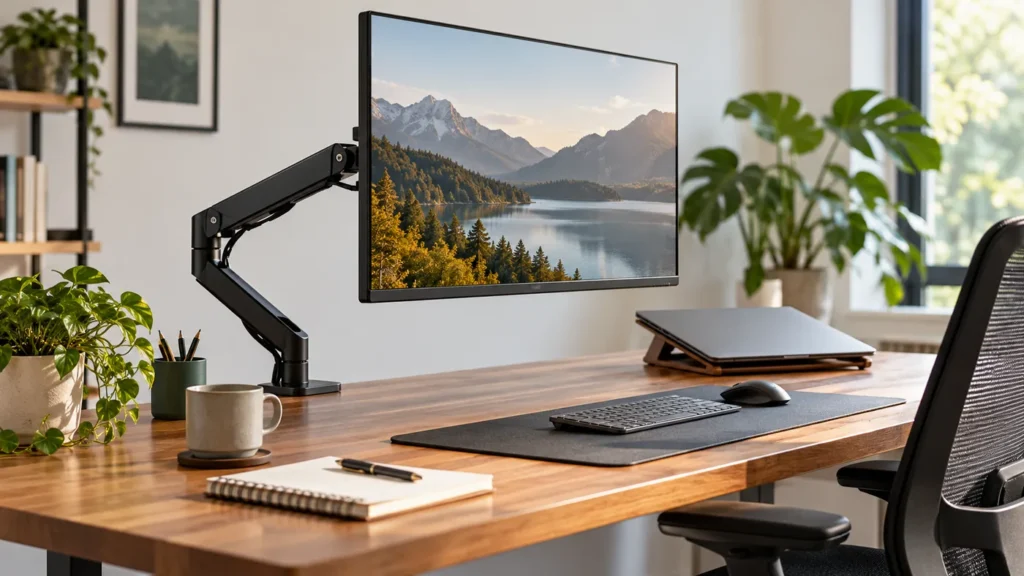
Quick answer: match the arm to your monitor and desk
Before choosing a monitor arm, check monitor weight, VESA pattern, desk-edge thickness, clamp space, and how often you actually move the screen. A good arm should make the monitor easier to position, not add wobble or cable mess.
Helpful next step: Calculate desk height Score your workspace
Affiliate disclosure: Smart Workspace Guide may earn a commission from qualifying purchases made through Amazon links. This does not change your price.
A monitor arm is one of the fastest ways to make a desk feel larger and more ergonomic. The best pick is not always the most expensive one; it is the arm that matches your monitor weight, VESA mount, desk edge, and adjustment needs.
Choose a gas-spring arm if you adjust height often, a premium arm if you want smoother movement, and a budget clamp arm if your monitor stays in one position most of the day.
Quick picks
- Best premium option: Ergotron LX Desk Monitor Arm
- Best practical option: VIVO Single Monitor Desk Mount STAND-V001
- Best flexible option: HUANUO Single Monitor Arm
Comparison table
| Product | Best for | Check first | Amazon |
|---|---|---|---|
| Ergotron LX Desk Monitor Arm | Premium movement and long-term durability | Confirm your monitor weight and VESA pattern before buying. | Amazon |
| VIVO Single Monitor Desk Mount STAND-V001 | Budget single-monitor setups | Best for standard office monitors; verify desk thickness and mounting clearance. | Amazon |
| HUANUO Single Monitor Arm | Flexible gas-spring adjustment | Gas-spring arms need proper tension adjustment after installation. | Amazon |
Recommended products
Ergotron LX Desk Monitor Arm
Best for: Premium movement and long-term durability
A strong choice for people who adjust monitor height and depth several times a day and want a polished, stable feel.
Before you buy: Confirm your monitor weight and VESA pattern before buying.
VIVO Single Monitor Desk Mount STAND-V001
Best for: Budget single-monitor setups
A practical entry point for clearing desk space when you do not need premium motion or heavy-duty capacity.
Before you buy: Best for standard office monitors; verify desk thickness and mounting clearance.
HUANUO Single Monitor Arm
Best for: Flexible gas-spring adjustment
A good middle ground for users who want easy height changes without paying for the highest-end arm.
Before you buy: Gas-spring arms need proper tension adjustment after installation.
How to choose the right option
Start with your actual desk workflow. A good product should solve one clear problem: cleaner cable management, better ergonomics, faster laptop docking, or more professional video calls. Avoid buying the most expensive option unless you will use the extra capability every day.
For Amazon shopping, open each product page and confirm the current price, return window, compatibility notes, and recent customer photos. Product listings can change, so the safest buying habit is to match the model name and specifications before checkout.
Setup tips that matter
- Measure first: desk thickness, available depth, monitor size, and cable reach matter more than product photos.
- Plan the cable path: the cleanest setup usually leaves one main cable path behind the desk.
- Keep one upgrade goal: buy for posture, speed, focus, or video quality instead of trying to fix everything at once.
Related workspace guides
- Read next: home office setup guide
- Read next: ergonomic chairs under $300
- Read next: productivity workspace setup
FAQ
Is a monitor arm worth it for a home office?
Yes. If your display sits too low or takes up too much desk space, a monitor arm can improve screen height, free work surface, and make cable routing cleaner.
Do all monitors work with monitor arms?
No. The monitor needs a compatible VESA mount or an adapter, and the arm must support the monitor’s size and weight.
Should I buy a single or dual monitor arm?
Use a single arm for maximum flexibility per display. Use a dual arm when both screens are similar size and you want a cleaner two-monitor footprint.
Sources and product research
This guide was prepared from manufacturer product information, practical home-office setup criteria, and Amazon product research for: Ergotron LX Desk Monitor Arm, VIVO Single Monitor Desk Mount STAND-V001, HUANUO Single Monitor Arm.
- Ergotron LX product information
- VIVO single monitor mount information
- VESA mounting standard overview
Monitor arm maintenance tips
If a monitor arm starts sagging, drifting, or feeling loose, do not replace it immediately. First confirm the monitor is within the arm’s weight range, then adjust the tension screw, tighten the clamp, check the VESA plate, and reroute cables so they are not pulling the arm down.
- Retighten the desk clamp after the first week of use.
- Adjust gas-spring tension only after the monitor is mounted.
- Keep cable slack near the hinge so movement stays smooth.
- Check the arm every few months if you raise and lower it often.
About The Author